exe 2026.10.28 signs a browser in with a passkey and keeps the API token off every address. The desk now speaks Simplified Chinese and Japanese, your own computer mounts the Workspace as a drive, and Ping, a new extra app, graphs your network as SmokePing does.
This release comes two weeks and 73 commits after 2026.10.15.
Sign in with a passkey
The API token is the password to your whole node, and every new browser asks for it. On a phone it is a long string to type. A passkey now signs a browser in instead, with Face ID, Touch ID, Windows Hello or a security key, and you type nothing.
- Open the desktop at a name over HTTPS, such as its Tailscale Serve address.
- Choose Windows → Configuration, click the Passkeys tab, then click Add Passkey….
- In another browser that can reach that passkey, through your passkey manager or a security key, open the same address. The API Token dialog now offers Use Passkey….
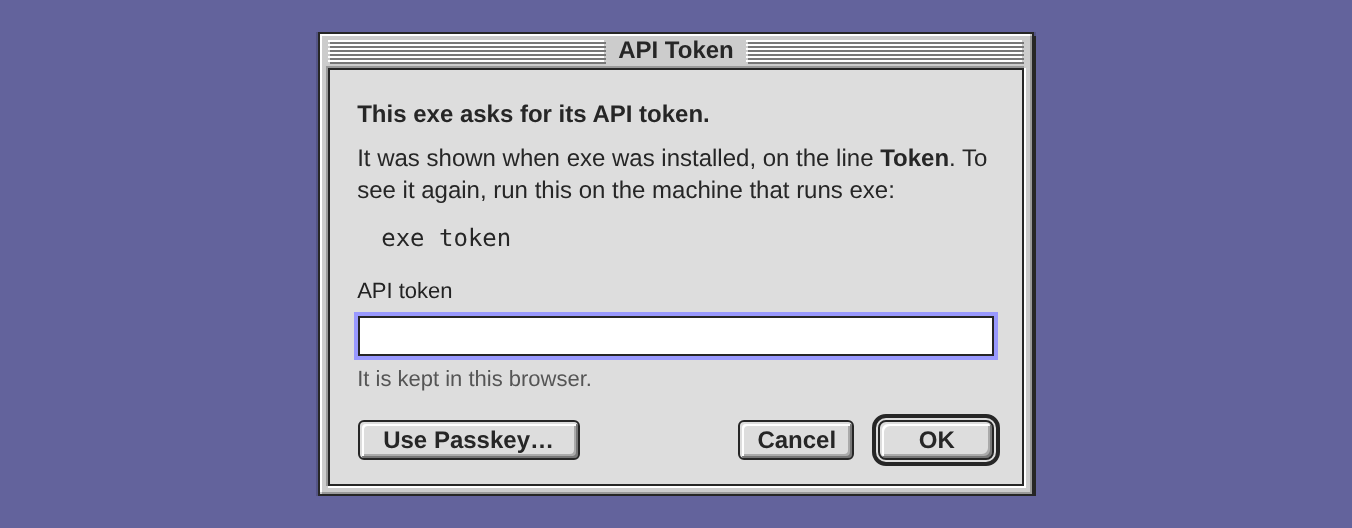
A browser that signs in with a passkey keeps no token. It stays signed in until you remove the passkey or the token changes, or for 400 days, after which it asks for the passkey again. A passkey on a phone was not tried for this release.
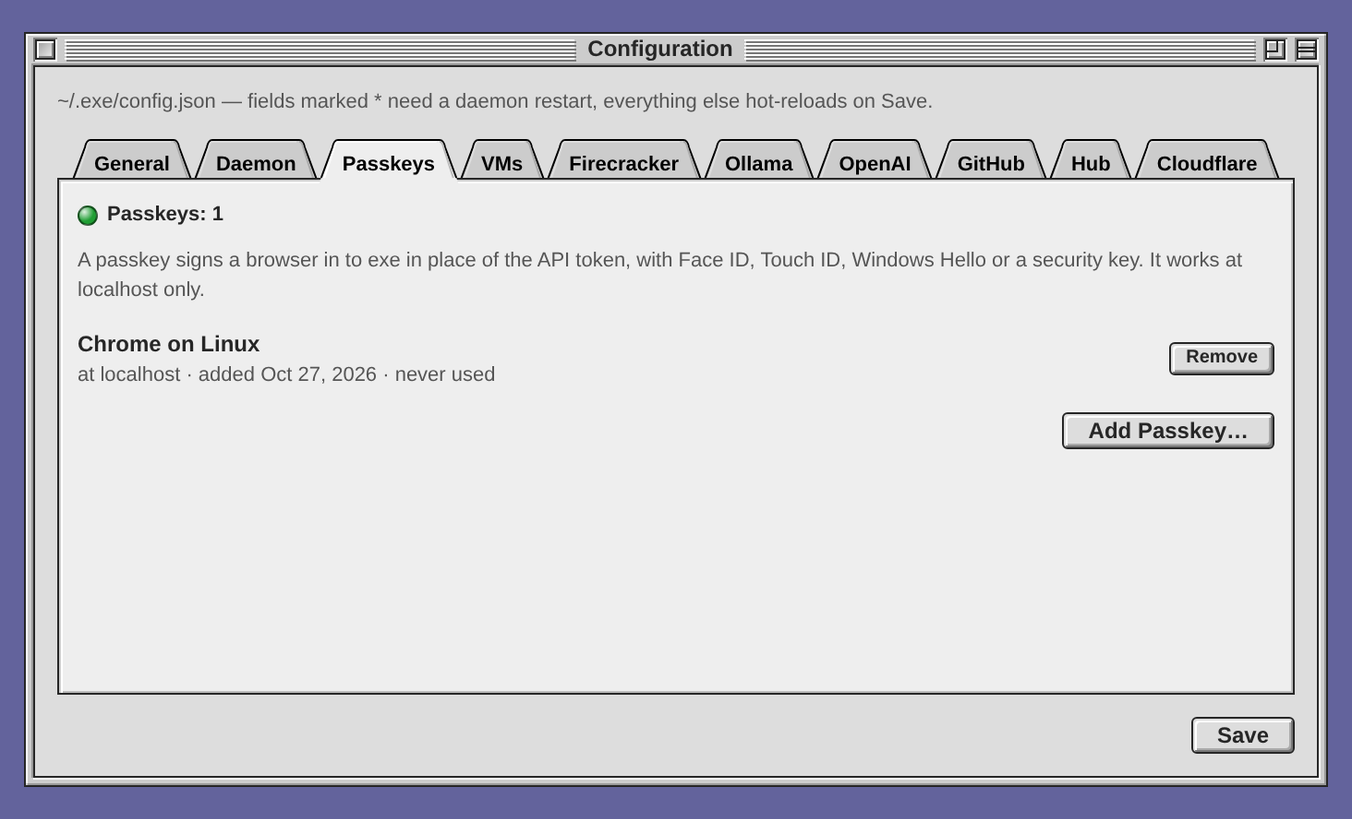
Remove beside a passkey, pressed twice, ends it and signs out every browser it signed in, at once. Their terminal windows say "signed out", and their Terminal sessions stay in tmux for the next sign-in.
A passkey works only at a name over HTTPS or at localhost, never at an IP address, and only at the address it was made at. Passkeys also need an API token: the token adds the first passkey, and it gets you back in when every passkey is gone. See Sign in with a passkey.
The token stays off every address
Until this release, the desk wrote the API token on every address that cannot carry a header: app windows, terminals, movies and links. There it showed in the address bar and the history, and a copied link carried the password with it.
Now, each time the desktop loads, it trades the token for a cookie that only exe's own pages can use and no script can read. App windows, apps opened from /apps/, terminals and movies get in with that cookie, so no address carries ?token=.
A new token ends every cookie at once. Every open terminal window says "signed out", the desktop asks for the token again, and the Terminal sessions wait in tmux. So when a token may have leaked, a new one signs out every browser, and where the machine has tmux no shell is lost.
curl and agents still send the token in a header, and apps need no change. Joined desks never carried it: each request between them is signed with the desk's own key. In a browser that keeps no cookies, the token goes on those addresses, as before.
The desk in three languages
If you read Chinese or Japanese faster than English, the desk's menus, windows and messages now come in your language. Language, on the new General tab of Windows → Configuration, sets English, 简体中文 or 日本語. Choose one and press Save.
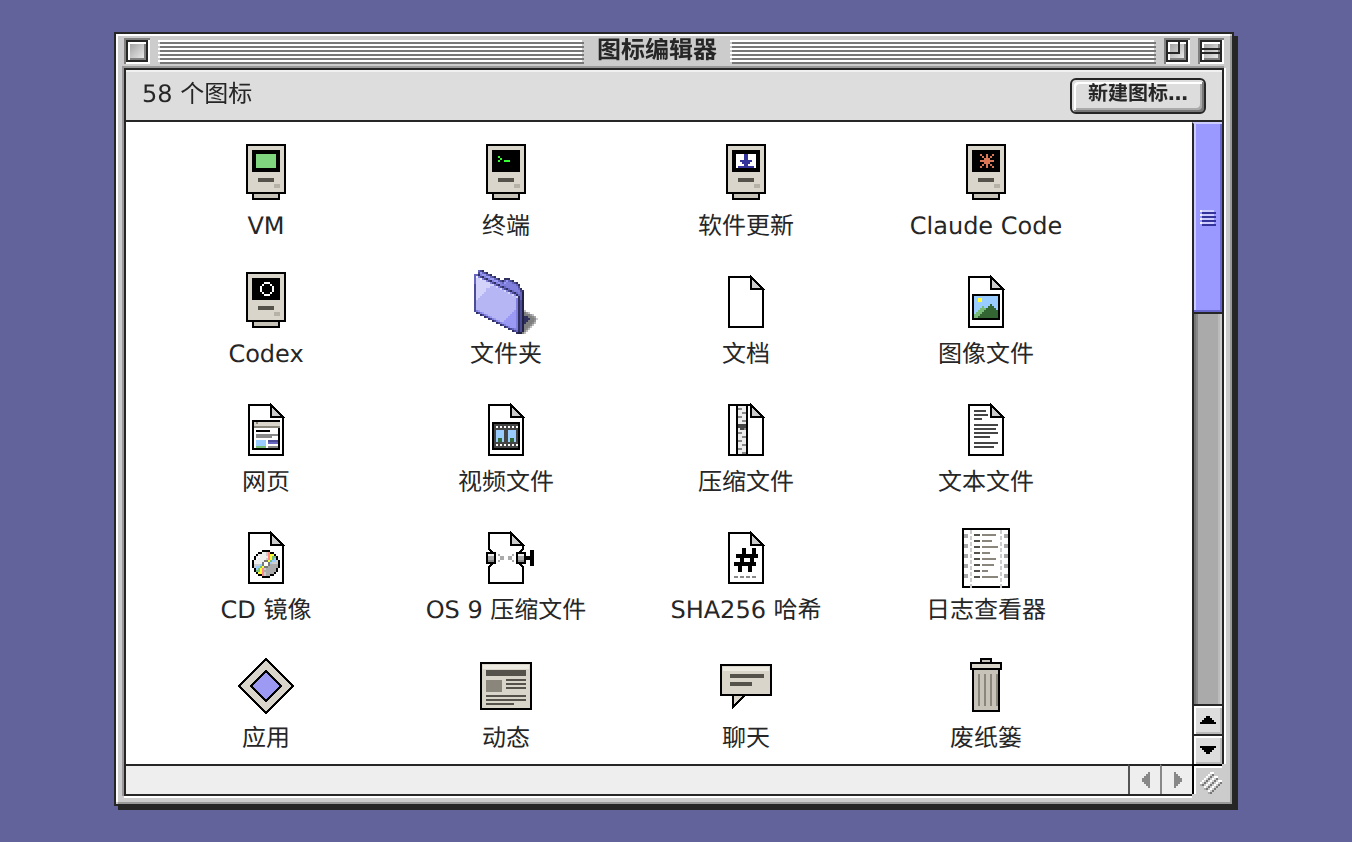
Every screen that has the desk open loads it again in that language. A screen with unsaved work waits until the work is saved, so a draft on another desk is not lost. The desk is drawn in the language from its first frame, and dates and times follow it.
Your own text stays as you wrote it: file names, notes, chats and the desktop menu. The apps in windows, such as Welcome and Blue Pencil, and the manual are in English for now. In config.json the key is language: en, zh-Hans or ja. See The language of the desk.
The Workspace as a drive on your own computer
The Workspace is the folder you, your agents and your apps share. A drag onto the desk brings a file in, and Download takes one file out at a time. Now the Workspace mounts on your computer as a drive named Workspace. What you drop into it is on the desk at once, and what the desk or an agent saves there is on your computer.
Choose Help → Mount Workspace…. The window gives the address, the name and the password, with Copy beside each, and the steps for macOS, Windows or Linux. Connect from picks the address: the desk's own https address when you reached the desk that way, or this machine's address on the network.
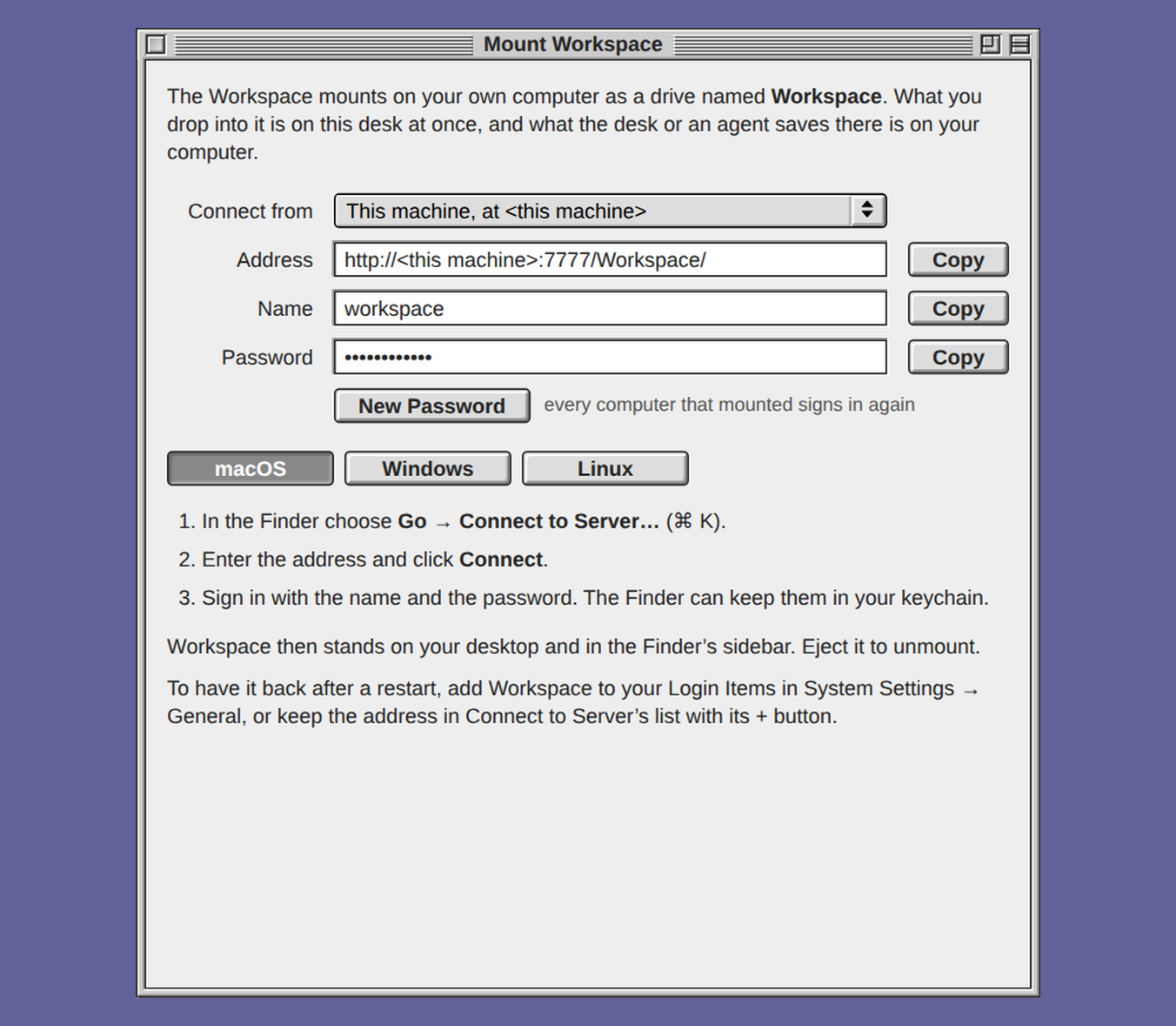
- On a Mac, choose Go → Connect to Server… in the Finder, enter the address, click Connect, and sign in as
workspacewith the password. - On Windows, choose Map network drive under This PC in File Explorer, enter the address as the folder, select Connect using different credentials, and sign in the same way. Windows needs a registry line before it takes a password over plain http, and another before it lets files over 50 MB through. The window gives both, ready to copy.
- On Linux, GNOME Files takes the address as
dav://and Dolphin aswebdav://, and a shell mounts it with davfs2.
The password is the drive's alone, never the API token, so a computer that mounts the Workspace can read and write that folder and nothing else. When a computer should lose its access, New Password makes another, and every computer that mounted signs in again.
Mac OS X in exe mounts it too
Until this release, exe's Macs and the desk shared no folder. A file went in on a CD image, or on Mac OS X through the Agent or Remote Login, and it came back out only through a shell. Now the Mac OS X window's Setup… menu has a Mount Workspace page, and in the Mac's Finder, Go → Connect to Server… takes its address, with no software added to Mac OS X 10.4. A file the Mac saves there, a game's save or a screenshot, is in the Workspace before you change windows. Mac OS 9 has no WebDAV of its own, so it still takes a CD. See Mount the Workspace on your own computer.
Files up to 100 MB
A file in the Workspace or in an app's data could be 10 MB at most. Now it can be 100 MB: through File → Upload to Workspace…, Upload… in a Workspace window, a drop on a Claude Code, Codex or Terminal window, the Workspace's HTTP calls and app data. A movie to watch on the desk, or a log to hand an agent, now fits.
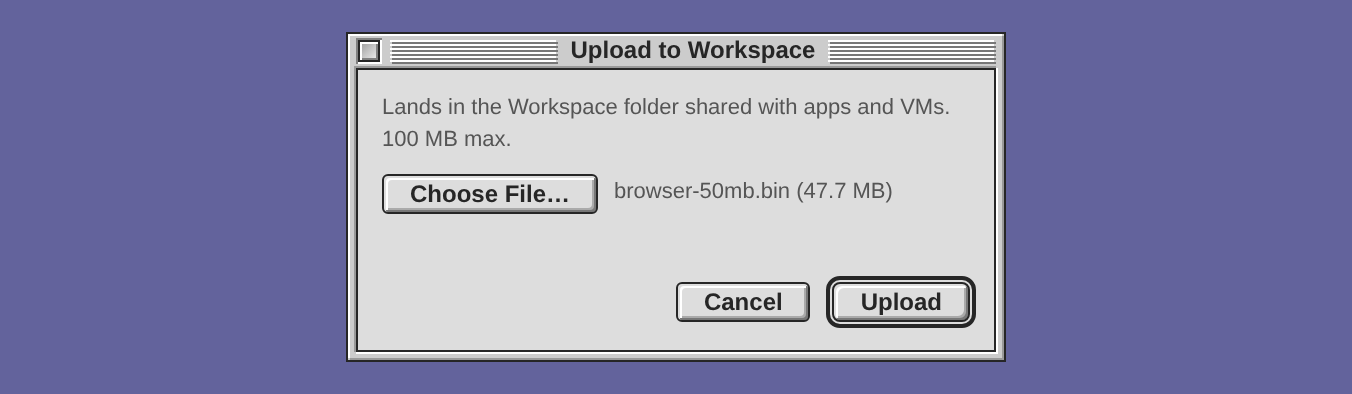
Joined desks sync files at that size. A desk on 2026.10.15 or earlier takes no file over 10 MB, so exe does not send it a bigger one, and that desk gets the file once it is updated. A transfer gives up only after 15 seconds with no bytes moving, so a slow link does not fail a large file because it takes long.
Ping: your network as SmokePing draws it
Is the server slow, or your router, or your provider? Does the line drop packets? Ping, a new extra app, shows the answer, now and over the last year. Every 5 minutes on the clock, exe sends 20 pings to each address on the list, keeps the results in RRDtool files in SmokePing's own layout, and draws SmokePing's graphs from them. The daemon does the measuring, so it goes on while the window is closed.
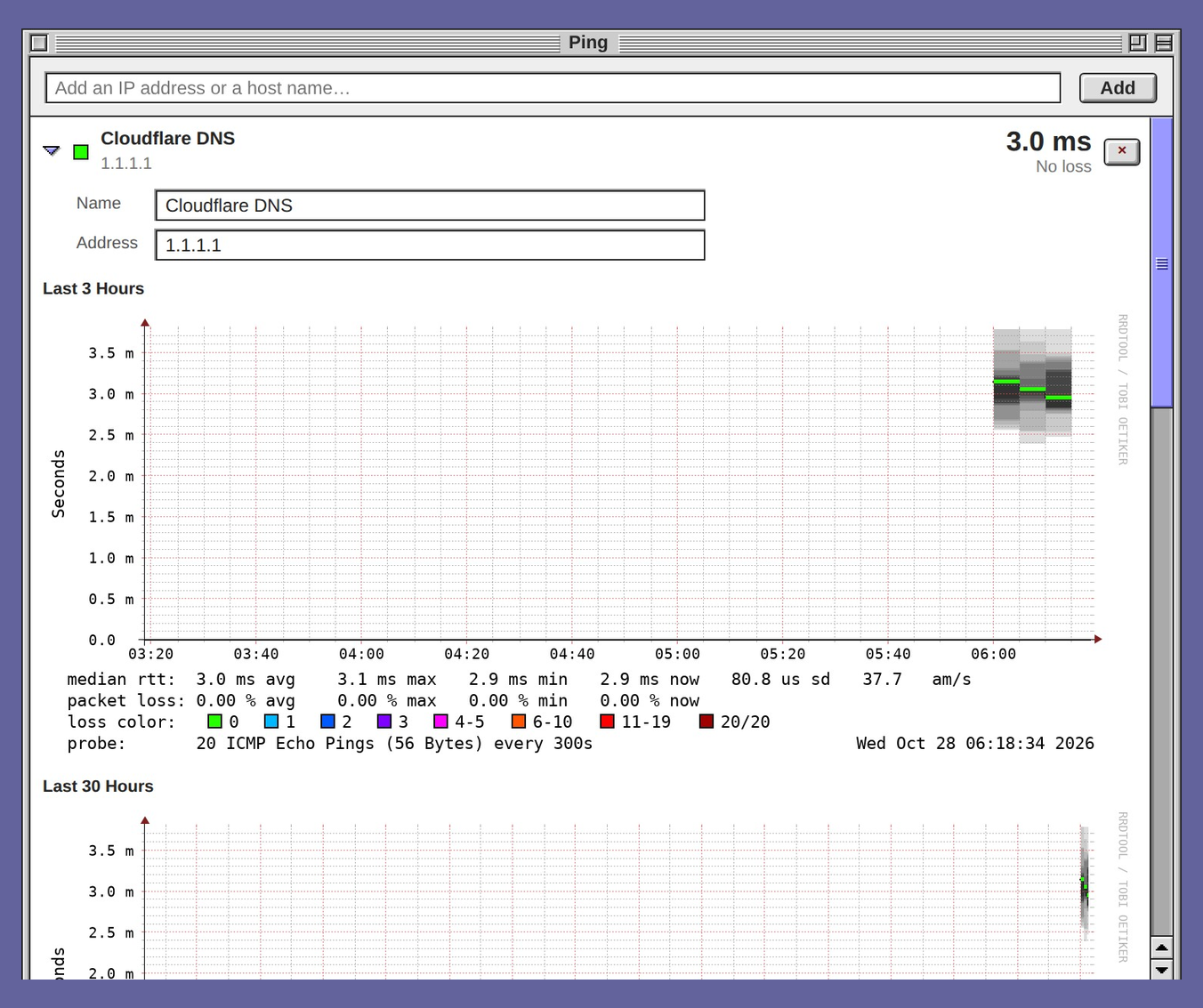
Type an IP address or a host name in the field at the top and press Add. Its first 20 pings go out at once, so you see a figure without waiting for the next round. Each row shows the median of the last round and how many of the 20 pings were lost, over a graph of the last 10 hours.
Click a row for SmokePing's four graphs: the last 3 hours, 30 hours, 10 days and 360 days. The grey smoke is each round's 20 pings, darker nearer the median, and the median line takes the colour of the round's loss: green for none, red for 11 to 19 of the 20. Drag across a graph to zoom in, and Back returns it.
Ping needs RRDtool: sudo apt install rrdtool on Debian and Ubuntu, brew install rrdtool on a Mac. Until it is there, the window says so and nothing is measured. Where fping is installed, the pings go out as SmokePing sends them. Without it, Ping uses the system's ping. exe looks for both at every round, so no restart is needed. Each machine measures from where it stands, so joined desks do not share the list.
Where the extra apps are off, Extras… on the Apps card of Help → Welcome… turns them on. See Ping.
Claude Code and Codex
After the host restarts
A restart of the daemon leaves Claude Code and Codex sessions running, but a restart of the host ends them all. Until this release the session column then forgot them, though nobody had archived them and the conversations were still on disk.
Now each session the restart stopped comes back as a stopped row, with its name, title and day, and a hollow dot. Click it, or choose Continue Here on its menu, and the agent starts again on that conversation, in the same folder, under the same session name.
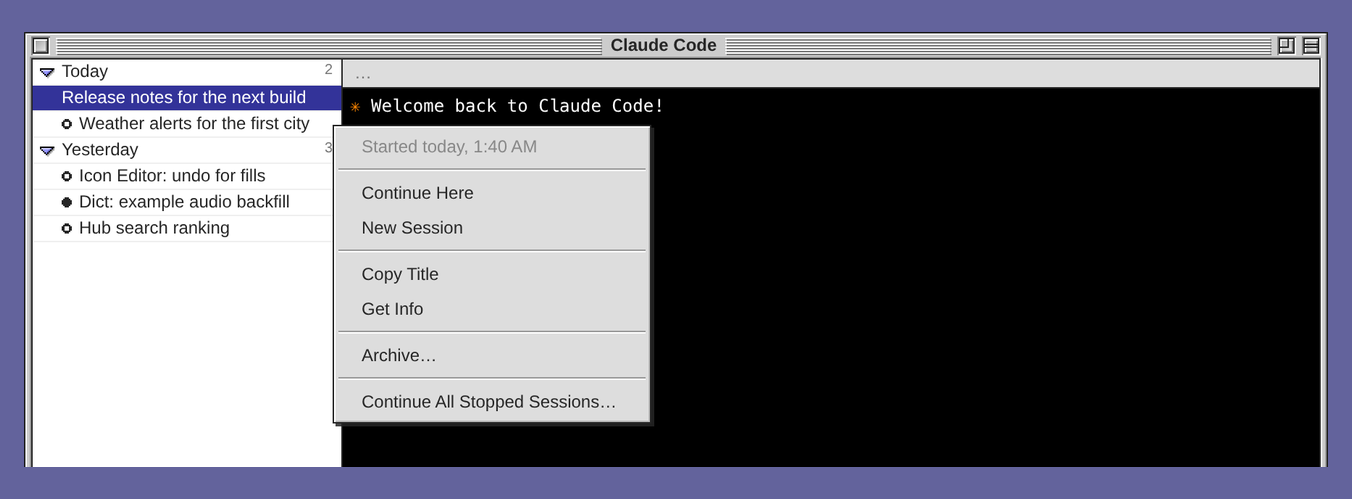
The window you open after the restart continues the session it showed last. The other rows wait for a click, since each CLI holds hundreds of MB of memory. Continue All Stopped Sessions… continues them all after a dialog, and Archive… removes a row. A session with no conversation yet, or one that ended before the restart, does not come back. See After the host restarts.
Sessions grouped by day
Until this release, the Claude Code column on a busy machine held some 140 sessions, newest first, with nothing to show where a day ended. The window now groups them by the day they started, under rows such as Today, Yesterday and Tue, Oct 20, each with a triangle and a count.
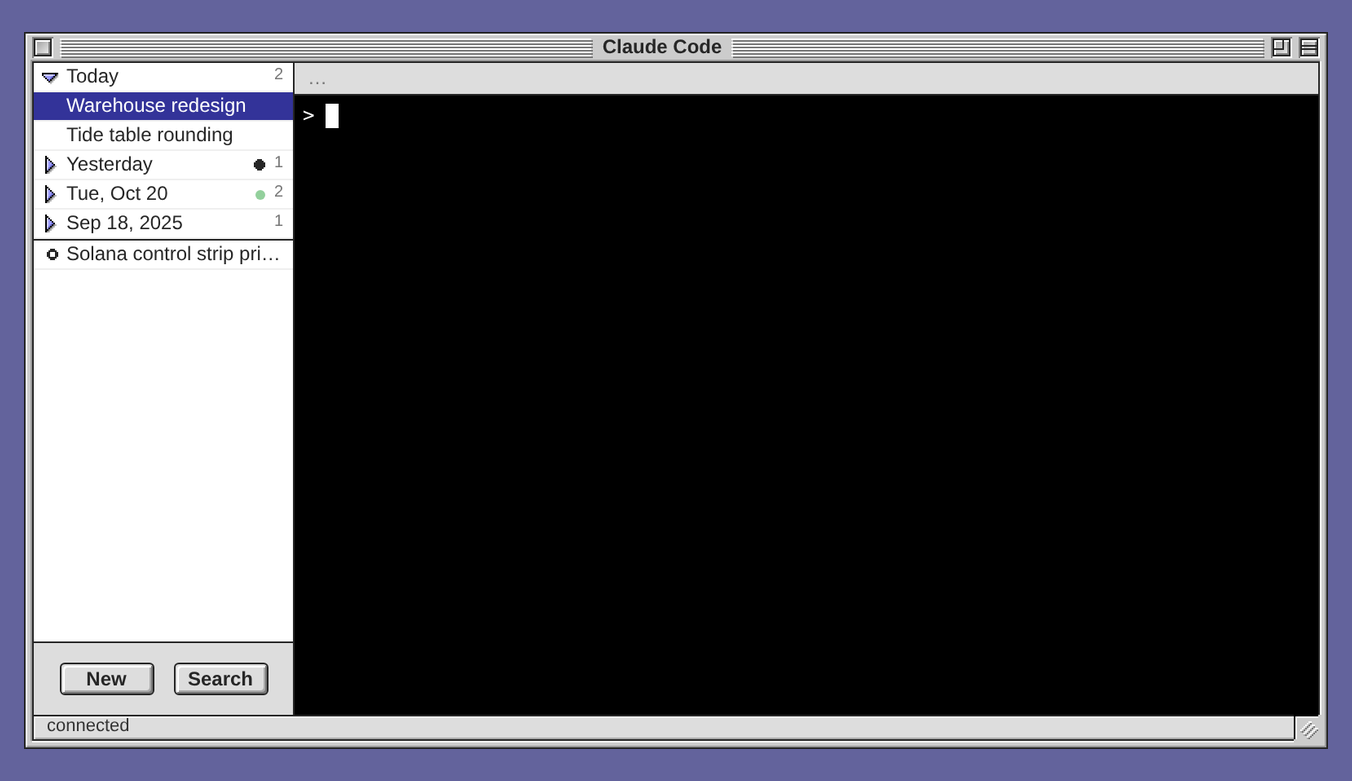
Click a day to show or hide it, or right-click it for Expand All and Collapse All. Every day is open until you close it, and this browser remembers the days you close. A closed day shows a black dot when one of its sessions waits for you, or a green dot when one is working, so a session that needs you never hides. The Codex window keeps its plain list.
One window on every desk, at one size
Where the machine has tmux, a Terminal, Claude Code or Codex window you open on one computer now opens on your others, at the same size in columns and rows, and its close box closes it on all of them. A phone still shows one window at a time and keeps its own.
Such a window used to belong to the browser that opened it. The reason was the size of the tmux session: tmux sizes a session to the client that last typed or changed size, and two desks with different fonts get different columns and rows from one window. Now the layout carries each window's size in columns and rows, and every desk sizes the window to hold them in its own font. Two desks no longer resize each other's session. On a machine without tmux, such as Windows, an agent window stays the browser's own, because there each window is a fresh run of the CLI.
A key row on a phone
A phone's keyboard has no Esc and no Tab, so the Claude Code window on a phone had no way to send them. Now a row of keys under the terminal sends Esc, Tab, Shift-Tab and the four arrows. Esc stops Claude Code's turn or clears its composer, Shift-Tab cycles its modes, and the arrows walk a menu or the prompt history.

The keyboard stays up while you tap the keys. Codex and Terminal windows have the row too. See On a phone.
Mac OS 9 and Mac OS X on exe's own emulator
Until this release, three things made exe's Macs harder to use. Outside Ubuntu 24.04 you installed QEMU yourself, sound needed a runtime installed by hand, and over a network the screen was slow, because each frame waited for a round trip.
Now, when a Mac prepares its emulator, exe downloads its own build, about 6 MB: on Linux with glibc 2.35 or later (x86-64 or ARM64), on macOS 11 or later, and on Windows 10 or later (x86-64). It is QEMU with the Mac's sound hardware and a screen paced for your browser, and Mac OS 9 and Mac OS X share it. exe checks the download's size and SHA-256 before it uses it. A Mac set up with an earlier emulator gets the new one the next time it starts.
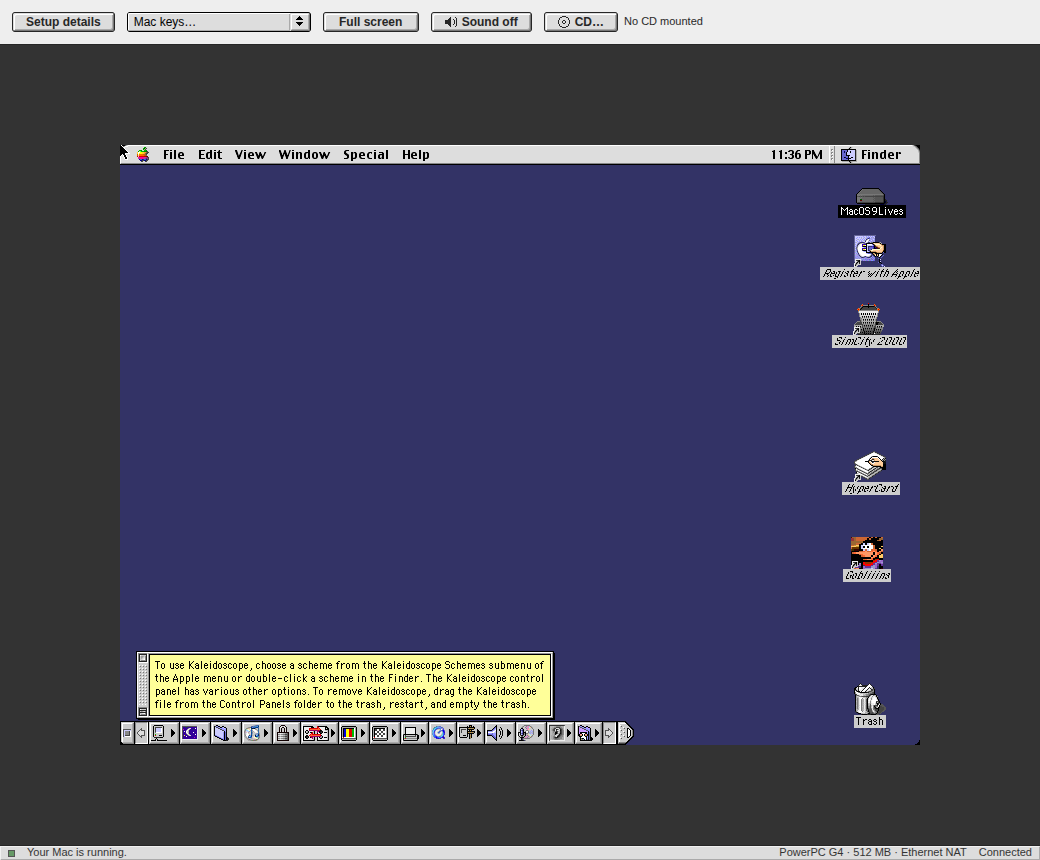
For sound, click Sound off in the window's row of buttons. It changes to Sound on, and the Mac's sound plays in your browser, through the same signed-in connection as the screen. On an emulator the system supplied, without the Mac's sound hardware, the button is dimmed.
For the screen, exe now keeps requests waiting ahead of the viewer, so frames keep coming while one crosses the network. In a test at 50 ms each way, Mac OS 9 drew 62 frames a second, up from 7. See Sound.
Notices: a toast that stays
A notice is for news that should wait on the desk until someone has seen it. The request behind it was a place to say that a usage limit had stopped an agent's work: on the desk, not in a public thread.
A script on the exe machine puts one up with a POST to /v1/notices. It shows above the Control Strip on every desk and phone that has exe open, through reloads and restarts, until someone presses its close box on any one of them.
$ curl -s 127.0.0.1:7777/v1/notices \
    -d '{"id":"backup",
         "title":"Backup failed",
         "body":"The disk is full."}'
On a node with an API token, the call also needs the token in its Authorization header, as every API call does.
A title is needed, and the body is optional. A later notice with the same id changes the one that is up instead of adding another, so a script can keep one notice current. DELETE /v1/notices/<id> closes one, as its close box does. Only callers on the machine itself can put one up, and at most eight stay up at once. See Notices: a toast that stays.
The smaller things
Every app at /apps/
When you want one app in a browser tab of its own, add /apps/ to the desktop's address. Until this release, that address was a 404. Now it is a page of every app this node has, as icons. Click one, and it fills the tab. The list stays behind the desktop's sign-in in that browser.
Cloudflare and Hub are summaries
The Cloudflare tab of Windows → Configuration held six fields that have to belong together: the account, the zone, the tunnel and a token that may edit that zone. The form saved any mix without a check. Now the tab says whether the last check passed and names the account, the zone and the tunnel. Set Up… or Change… opens the Cloudflare Setup Wizard with every answer filled in, and the wizard checks each step with Cloudflare.
The Hub tab held seven fields for the hub agent, and none was checked. Now it shows this node on the hub the Hub app joined: its Hub ID, whether that hub answers, this node's profile there, and whether the hub lets it post. Join a Hub… opens the Hub app's Join a Hub wizard.
Blue Pencil keeps its checks
Until this release, a new Check on, Model or Thinking choice in Blue Pencil Options cleared what the pencil had checked, so every paragraph of every draft went back to the model. Now what was checked stays checked, and only new or edited paragraphs go to the new choice. You can try another model without waiting for every draft again. A new custom prompt still checks every draft, because its rules are new.
The activity tile shows its chart's icon
On Linux, the Control Strip's activity tile charts one of CPU, memory, GPU, network or disk. Its icon now says which: a chip, a memory stick, a graphics card, a network port or a hard disk. The menu's rows wear the same icons, so the menu is the legend.
Fixed
- On Windows, the Configuration window no longer scrolls sideways. In Lucida Sans its tabs were 9 px wider than the window left room for.
- A menu of the menu bar or a title bar now closes when you press inside an app's window.
- The Control Strip's Tailscale tile lights its lamps as Tailscale's T, not upside down.
Get it
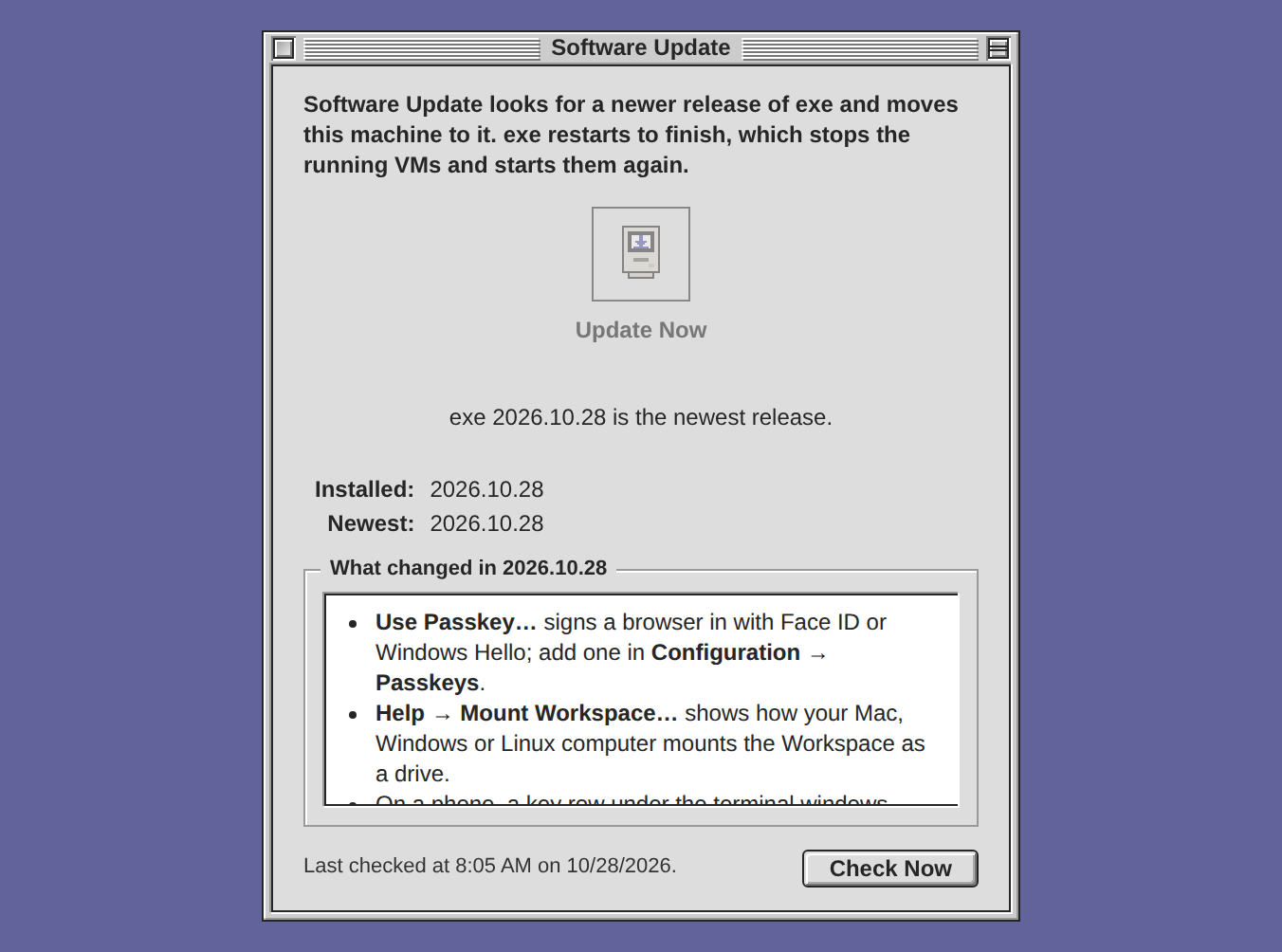
An exe that is already installed moves to this release with Software Update… in the Apple menu, then Update Now, or with exe update in a shell. The update runs in the daemon, so you can close the window or the browser while it goes on. exe restarts to finish, which stops the running VMs and starts them again, and the alert names them first.
A new install on Linux, or on macOS 13 or later, on x86-64 or ARM64:
curl -fsSL https://exe.v2core.com/install.sh | sh
On Windows 11 on x86-64, in PowerShell:
irm https://exe.v2core.com/install.ps1 | iex
The macOS builds are signed with a Developer ID and notarized by Apple. The files and their checksums are on the release page.
What was tried before publishing
The update that Software Update starts was run from 2026.10.15 on Linux (x86-64), on Windows 11 and on a Mac (Apple silicon), each with a VM running. It took 34 seconds, 10 seconds and 4 seconds. Each guest was shut down, not cut off, and came back.
Because the sign-in changed in this release, Update Now was also pressed in a browser, on a Linux (ARM64) install with an API token, from a test build of this release's commit. The window said the update was done about 9 seconds later, with the tab closed during the download. exe update in a shell on Linux (ARM64) was tried too, and so was a new install on Linux (ARM64) and on a Mac (Apple silicon), each with its questions answered at a terminal.
Not tried for this release: a new install on Windows, Windows 10, and, as said above, a passkey on a phone. Passkeys were tested with Chromium's virtual authenticator.
Good to know
- The hub agent is gone. It was off on every node, and a
hubsection inconfig.jsonis dropped at the next save. - The Windows build is not signed, as before.
- The Intel Mac build was only started under Rosetta, on an Apple silicon Mac. Its VMs have still not been tried on an Intel Mac.